How To Sell Crypto On Trust Wallet? (& How To Withdraw Money)

If you’re just stepping into the crypto world, you may be new to Trust Wallet, however, Trust Wallet is one of the most popular mobile wallets used by blockchain and cryptocurrency traders and enthusiasts to store their cryptocurrencies and perform transactions that involves buying and selling cryptocurrencies. As a starter, it’s important to understand how you can use this wallet to perform basic crypto transactions that involve buying and selling cryptocurrencies but first, you should know if it’s possible to sell crypto on the wallet.
You can sell cryptocurrencies on Trust Wallet in different ways. You can sell using a decentralized platform like PancakeSwap, swap the crypto to a stable coin to sell on Trust Wallet, or sell your coin via a centralized cryptocurrency exchange like Binance and go on to withdraw to your bank.
Using Trust Wallet to sell your cryptocurrencies may seem complex because it’s not exactly easy to use, that’s why in this article I’ll take you through the steps to sell your crypto on the wallet, how to withdraw from Trust Wallet to your bank account, and how to withdraw to your bank account without using Binance.
How To Sell Crypto On Trust Wallet
If you’re a newbie trying to sell your cryptocurrencies on Trust Wallet, it’s gonna be a little tricky for you because the process isn’t as straightforward as it should be. This may lead to you performing the wrong transaction and eventually losing your crypto if you use the wrong selling method or probably losing them to the wrong wallet addresses.
Every method that you can use to sell your crypto on Trust Wallet will be broken down in this section so you will have a basic understanding and wouldn’t have to suffer a loss due to wrong transaction methods or entries,
Selling cryptocurrencies on Trust Wallet can be done in 3 ways, depending on the type of cryptocurrencies you’re trying to sell, or your choice of method. The following are the three methods you can use to sell cryptocurrencies on Trust Wallet:
- Selling on decentralized exchanges like PancakeSwap.
- Swapping cryptocurrencies to a large stable coin to sell on Trust Wallet.
- Selling via centralized cryptocurrency exchanges like Binance
Depending on your choice, you can use any of the above methods to sell your cryptocurrencies. Selling your cryptocurrencies on Trust Wallet is just one step if you need to withdraw to your bank account so you need to know and understand these steps very well if you plan to use Trust Wallet constantly for your transactions.
Selling On Decentralized Exchanges Like PancakeSwap
Selling on decentralized exchanges means that you’re selling your crypto on third-party websites otherwise known as decentralized apps (Dapps) by connecting your wallet to the website or Dapp and performing your transaction.
PancakeSwap is an example of a decentralized application that you can sell your cryptocurrency on by connecting your Trust Wallet to the Dapp. Using PancakeSwap as the case study here, the following are the steps to sell your cryptocurrencies on Trust Wallet via a decentralized application:
Step 1: Open Your Wallet
Launch your Trust Wallet on your smart device. If you need to enter your 12-word recovery phrase to access your wallet, enter the keys to get access to your wallet.
Step 2: Tap On The Dapp Section
Below your home screen, there are 4 inline menus. Tap on the Dapp section to access decentralized applications and sell your crypto there. In the popular or exchanges section, you will see PancakeSwap, or instead, enter PancakeSwap’s address in the address bar to go to PancakeSwap.
Step 3: Go To PancakeSwap
Click on PancakeSwap on the exchange section in the DappS screen otherwise, enter PancakeSwap’s address into the address bar and go to PancakeSwap.
Step 4: Click On “Connect Wallet”
You’ll need to connect your Trust Wallet with the Dapp which in this case is PancakeSwap. Click on the connect wallet button and a new popup will show you different ways and wallets you can connect to PancakeSwap. Choose Trust Wallet and click on the connect button that pops up after.
Wait a few seconds for your Trust Wallet and PancakeSwap to connect then you’ll be redirected to the PancakeSwap’s homepage.
Step 5: Navigate To The “Swap” Section
Scroll to “Swap” and click on it. In this section, you’ll be able to swap your token for any other token you want to swap it for. For example, if you want to swap doge coins for BNB, you can easily do this in this section.
Step 6: Choose The Token You Want To Swap
Tap on the top section and enter the token you want to swap. This token has to be in your wallet because the amount of the token will be removed directly from your wallet.
Step 7: Enter Amount
Enter the amount of token you want to swap. Make sure the amount is lower or equal to what you have in your Trust Wallet. On the other hand, you can just tap the “max” button and it’ll automatically populate the bar with the maximum amount of the token that’s available in your wallet.
Step 8: Choose The Token You Want To Swap To
Select the token you want to swap to. You can choose to swap to a stable coin or any other coin on the list.
Step 9: Tap On Swap
Make sure the version is on v2 then go on to click on “Swap”. A menu with the details and the estimate for the swap will pop up.
Step 10: Click On “Confirm Swap”
Tap on “Confirm Swap” to confirm that you want to go ahead with the swap. You’ll receive an “awaiting for confirmation” message on your screen while the transaction is being processed. A confirm transaction screen will pop up from your Trust Wallet with which the information on this screen includes the network fee and other fees required for your transaction.
Step 11: Click On Approve
Tap on the “Approve” button. Once you’ve approved the transaction, you won’t be able to cancel the transaction as it’s already begun processing and has been sent to the blockchain so make sure to confirm your transaction before approving it. You will receive a pop-up that says transaction submitted so all you have to do now is wait for it to be confirmed on the blockchain.
Since you performed the transaction on the Binance smart chain, the transaction should take a minimal transaction fee and also be processed faster than other chains like the Ethereum chain. Usually, on average, it takes about 3 minutes for transactions on the Binance smart chain to complete but sometimes when the chain is experiencing a lot of traffic, it may take longer than 3 minutes.
Swapping To Stable Coins On Trust Wallet
If you have BNB in your wallet or any other Trust Wallet recognized crypto, you can sell them for stable coins on Trust Wallet. The following are the steps to sell for stable coins on Trust Wallet’s decentralized exchange (dex) feature:
Step 1: Go To Dex Feature On Trust Wallet
Go to the dex feature on your Trust Wallet and select BNB or other recognizable coins to convert to a stable coin— BUSD.
Step 2: Enter The Desired Amount
Enter the desired amount of BNB you want to swap.
Step 3: Click On Swap
Click on swap to initiate your swap action, a pop-up will ask you to choose your desired slippage rate. The slippage rate is the fee that will be used to complete your transaction. This can cause your transaction to be fast or slow and is also dependent on how high or low your slippage rate is.
After choosing your slippage rate, click on send. Once you’ve sent the transaction, your transaction will be confirmed and you’ll receive the equivalent BUSD in your wallet.
Selling Via Centralized Exchange Like Binance
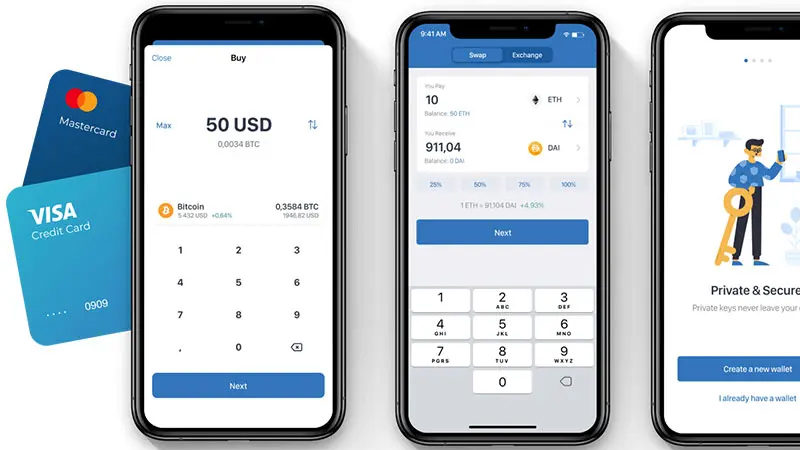
This process involves withdrawing cryptocurrencies to your Binance account and then selling them there. If you want to do this without experiencing a lot of fees, you can make sure to first swap your cryptocurrency to BUSD or BNB as the fees to withdraw these cryptocurrencies to Binance is cheaper. The following are the steps to withdraw to Binance:
Step 1: Copy Your Receive Address From Binance
Since you’ll be withdrawing BUSD from your Trust Wallet to your Binance account, go to your Binance spot wallet and search for BUSD. Tap on it and copy the receival address. Make sure you’re on the right network (in this case, the Binance smart chain network)
Step 2: Go To Trust Wallet And Withdraw BUSD
Open your Trust Wallet and click on your BUSD. Tap on “Withdraw” and you’ll be welcomed with a screen prompting you to enter the address you want to withdraw to.
Step 3: Enter The Receive Address
Enter the receival address you copied from Binance into the receive address tab and choose the network you want the funds to be sent on. In this case, you’re working with Binance smart chain (Bsc Network) so choose this.
Step 4: Enter The Amount You Want To Withdraw
Enter the amount of BUSD you want to withdraw. Make sure it’s not higher than your BUSD balance.
Step 5: Click On Withdraw
Once you’ve verified your information, click on Withdraw and your BUSD will be sent to your Binance
Once the BUSD is sent to your Binance, you can then swap it for whatever coin you want in the spot market.
How To Withdraw Money From Trust Wallet To My Bank Account
Trust Wallet doesn’t have any way you can directly connect it and withdraw your currencies to your bank account, however, if you want to sell your crypto on Trust Wallet and withdraw the funds to your bank account, the following are the steps involved:
- Step 1- Swap the cryptocurrency for a stable cryptocurrency.
- Step 2- Withdraw the stable cryptocurrency from your Trust Wallet account to a centralized exchange.
- Step 3- Convert the stable cryptocurrency to fiat on the exchange.
- Step 4- Withdraw the fiat currency to your bank account.
Since we’ve talked about how to swap your cryptocurrency and withdraw to a centralized exchange in the above sections, here’s how to convert the stable currency to fiat currency on the exchange using Binance as the exchange here.
Step 1: Go To The Desktop Version Of Binance
Go to the desktop version of Binance and log in to your account with your email and password.
Step 2: Click On Withdraw
On the top right side of your screen, you will see the “Withdraw Fiat” button.
Step 3: Enter The Fiat Currency You Want To Withdraw

Enter the fiat currency you want to withdraw. Once you enter it, enter the amount of BUSD you want to withdraw and convert to this fiat currency.
Step 4: Add New Card
Click on the “Add New Card” button under the beneficiary section to withdraw to your bank account.
How To Withdraw Money From Trust Wallet Without Using Binance
You can choose to use other centralized exchanges like KuCoin, FTX, and so on to withdraw your funds to your bank account instead of using Binance as the centralized exchange. In the previous section, I explained how to withdraw from Trust Wallet to a centralized exchange, using Binance as a reference but just in case you want to withdraw to any other centralized exchanges, you can use the above steps by just replacing Binance with the centralized exchange you want to withdraw to.
Make sure to choose the right network when you’re withdrawing from Trust Wallet to your desired centralized exchange. The best and cheapest network to use is the Tron Network, or Binance Smart Chain as they come with lower transaction fees.
Trust Wallet Withdrawal Fee
Trust Wallet doesn’t take a share of your withdrawal fee. Most of the fees you’ll be charged during withdrawal are used as network fees to complete your transactions on the blockchain. This fee is collected to initiate the blocks that will help you complete your transactions on the blockchain.
There’s the common notion that the withdrawal fee is usually collected by Trust Wallet, this is wrong as the fee is collected by the network on which you’re performing your withdrawal. For example, if you’re withdrawing via Binance smart chain, the blockchain will charge you the network fee needed to complete your transaction.