Can You Play PS3 Games On PS5? (& How)


Since Sony began rolling out the PlayStation console series, the gaming industry has seen tremendous improvements as the gaming company is one of those driving the industry and constantly sharing new gaming technologies with the audience. Since Sony launched the PS5 in 2020, there’s been an increase in the number of gamers as a lot of game enthusiasts became one of the consumers of the device. With this tremendous increase in users, some have deemed it important to know if it’s possible to play PS3 games on PS5 consoles hence the question “can you play PS3 games on PS5?
To simply answer this question, yes, you can play PS3 games on your PS5 console but this comes with a huge caveat. According to Sony, from June 2022, you’ll need to have a PS Plus Premium membership to be able to play selected PS3 games, and even then, you’ll only be able to play them on the cloud.
Although playing PS3 games on PS5 consoles is more complicated than playing PS4 games on PS5 consoles, you can still play some selected PS3 games on the console. In this article, I’ll share with you the possibilities of you playing PS3 games on PS5 consoles and the steps to do this easily.
Can You Play PS3 Games On PS5?
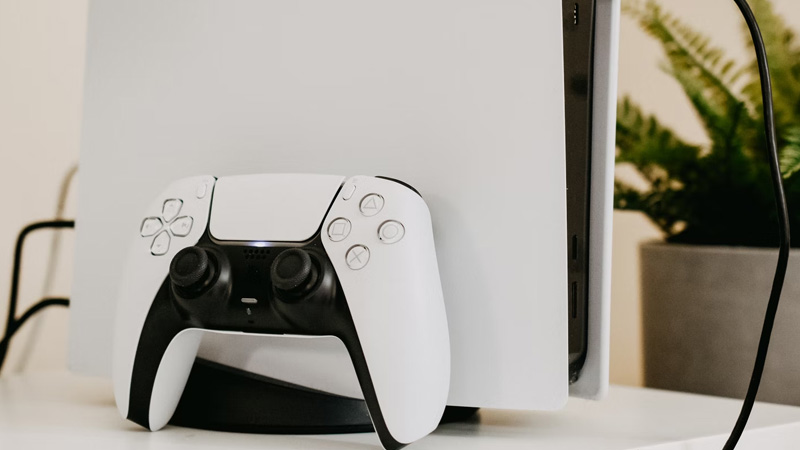
The simple answer to this question is yes, you can play PS3 games on your PS5 console. Although this is presently possible, come June 2022, you’ll need a premium PlayStation Plus membership to be able to access PS3 games on the console. You’ll also need the membership to be able to access PS1, PS2, and PS4 games on the PS5 console, because it won’t be available on the free PlayStation Plus account.
Playing PS3 games on your PS5 console is quite more complicated than you presume because unlike how you can download PS1, PS2, and PS4 games on your PS5 console, you can only play the PS3 games on the cloud.
This means you’ll need a fast and stable internet connection to be able to play PS3 games as you’ll be streaming the game from the PlayStation Network cloud which may be quite tough as internet connections may not be stable whenever you’re playing the games. This is one of the downsides to streaming your games on the PlayStation Network cloud which may be very frustrating for some gamers especially if the game is one of quite a heavy size.
Although members of the PS Plus premium subscription will be able to download PS1, PS2, and PSP games onto their PS5 consoles, Sony hasn’t offered any statement about being able to download PS3 games onto PS5 consoles. Sony hasn’t given any particular reason why PS3 games won’t be downloadable to PS5 consoles, however, speculators are indicating this may be due to technical issues perceived by Sony developers as the PS5 may not be able to store PS3 games and run them simultaneously, however, it’s able to run PS3 games stores on the PlayStation Network cloud.
If you’re also looking to buy digital PS3 games on the PS5, you won’t be able to as Sony didn’t include the feature for users to be able to buy digital PS3 games on PS5 consoles.
However, if you want to play any PS3 game on your PS5 console, you’ll have to play it from the PS3 library and to access this library, you need to have subscribed to PS Now or PS Plus Premium account by June 2022. If you can’t access either of these two, you won’t be able to play digital PS3 games on your PS5 console.
If you’re also thinking it’s possible to insert a physical disc into your PS5 console, you can, however, the console won’t be able to read the game on the disc as PS5 consoles cannot read PS3 discs.
This is only possible with PS4 as you can insert selected PS4 game discs into your PS5 console and you’ll be able to play the game on the disc easily as Sony made sure to make the PS5 compatible with PS4 discs. Even if the PS3 game’s disc that you want to insert is available via PlayStation’s subscription service, you won’t be able to play the disc game on your PS5.
How To Play PS3 Games On PS5

To be able to play PS3 games on your PS5 console, you’ll need to be able to access PlayStation Now, or PS Now via the platform’s subscription service. PS Now is Sony’s latest subscription service. The subscription service allows members to be able to stream and play a library of over 500 games via the internet.
PlayStation Now uses cloud technology so you won’t need to download games to your console as you’ll be streaming them via the cloud technology. The following are the steps to access PlayStation Now.
How To Access PlayStation Now
You can easily access PlayStation Now through the PS5 home screens. There are two ways you can join the subscription service— via your console, or by visiting the PlayStation Store. You’ll need the following before you are able to join PS Now:
- A PlayStation Network accounts with verified payment details.
- A Dualsense, DUALSHOCK 4, or another compatible controller.
- A stable and fast internet connection. Sony recommends that you use an active broadband connection of 5mbps or higher for a better experience while streaming online games.
If you’re a new PlayStation Now member, you’ll be eligible for a free seven-day trial. After the trial ends, you’ll need to subscribe to the service to be able to continue playing. The following are the subscription plans:
- $9.99 per month.
- $24.99 every three months.
- $59.99 per year.
The following are the steps to access PS NOW:
Step 1: Switch On Your PS5
Put on your PS5 and wait a few minutes for the PS5 to load.
Step 2: Connect Your Dualsense or DUALSHOCK Pad
Connect Your Dualsense or DUALSHOCK Pad to the PS5 by pressing the PS button on the pad and switching it on. Once the pad is on, it’ll connect automatically.
Step 3: Navigate To PS Now
When the PS5 is on and you’ve connected your Pad, go on to navigate to PS Now on your PS5 home screen.
Step 4: Create A PS Now Account

If you’re a new user, you’ll need to create a new PS Now account. This is a subscription service hence, you’ll need to enter your valid payment method in the account. After entering it, you’ll get a free 7-days trial to test out the services on the PS Now service. After the 7-days free trial, you’ll need to pay for the subscription as discussed above.
If you’re not a new user, continue to your PS Now homepage if you already have a subscription. If you don’t, proceed to pay for your subscription. The prices are as discussed above.
Step 5: Navigate To The PS3 Games Library
After you’ve confirmed your payment and your account is now active, navigate to the PS3 games library. You’ll see various available games that you can play in the library however, you won’t be able to download them to your PS5 console as you can only stream the games.
Step 6: Select The Game You’d Like To Play
Once you’ve opened the library, select the game you’ll like to play. Make sure you have a stable internet connection as you can only treat PS3 games via PS Now cloud technology.