Apolosign Review: Building a Complete Whole-Home Family Scheduling Solution

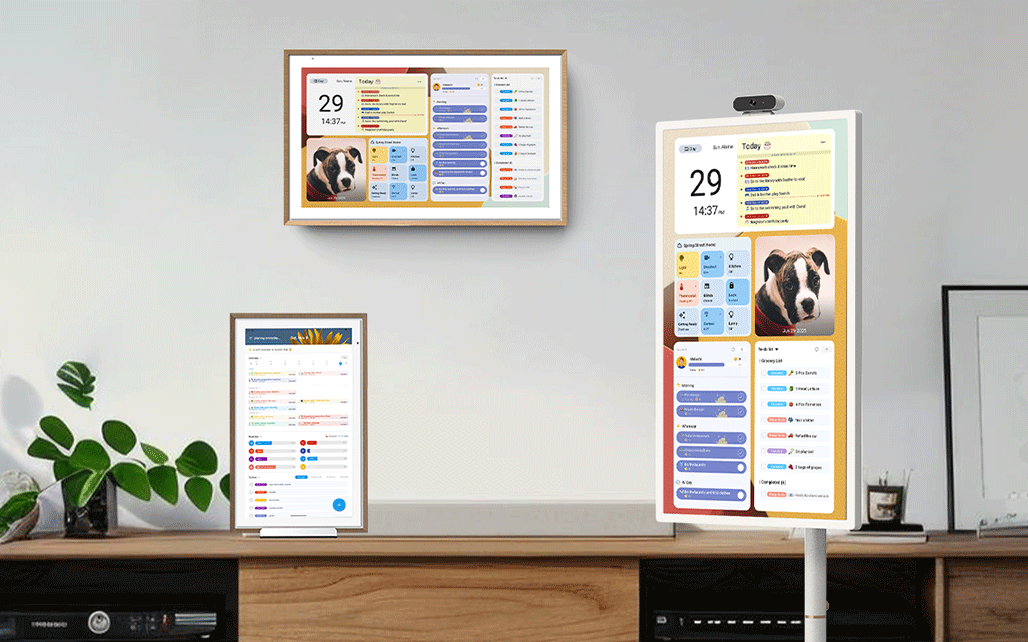
I’ve been testing Apolosign’s lineup in my house for a bit — the wall/desktop digital calendar in 21.5″ and the 32″ portable smart TV — and it’s pretty clear what they’re trying to do: make family schedule management an actual system, not just a fridge note and a bunch of text threads.
What surprised me most is that Apolosign’s products are designed around one core idea: to create a whole-home schedule management solution, where every family member can access the same information in any room. Whether it’s the wall-mounted Digital Calendar or the portable TV, both devices can synchronize family schedules, routines, to-dos, and even chore points, ensuring that everyone stays coordinated and engaged no matter where they are in the house.
Living with the Apolosign Digital Calendar
I put the 21.5″ Apolosign Digital Calendar in the kitchen, because that’s where everyone passes through. It also comes in 15.6″ and 27″, and you can wall-mount it or just keep it on a stand, which makes sense for different spots around the house.
What makes it special isn’t the size, though. It’s the dual-mode system — Calendar Mode and Android Mode.
In Calendar Mode, it turns into this clean, visual command center for the family. This is nice because you don’t have to explain “I already put it in the calendar” three times — it’s just there. They clearly designed this for American moms who are juggling school drop-offs, sports, and two working adults — it fits that mental model. My husband checks his meetings, I see meal plans, and the kids know if it’s a soccer day or a piano day. There’s no more “Mom, what time is practice again?” floating through the hallway.
But when I switch it to Android Mode, it transforms completely. I can add weather and countdown widgets, check Google Calendar, connect smart home devices, and even ask Google Assistant to set reminders. It’s still a family board — just with extra brains.
How It Changed Our Routine
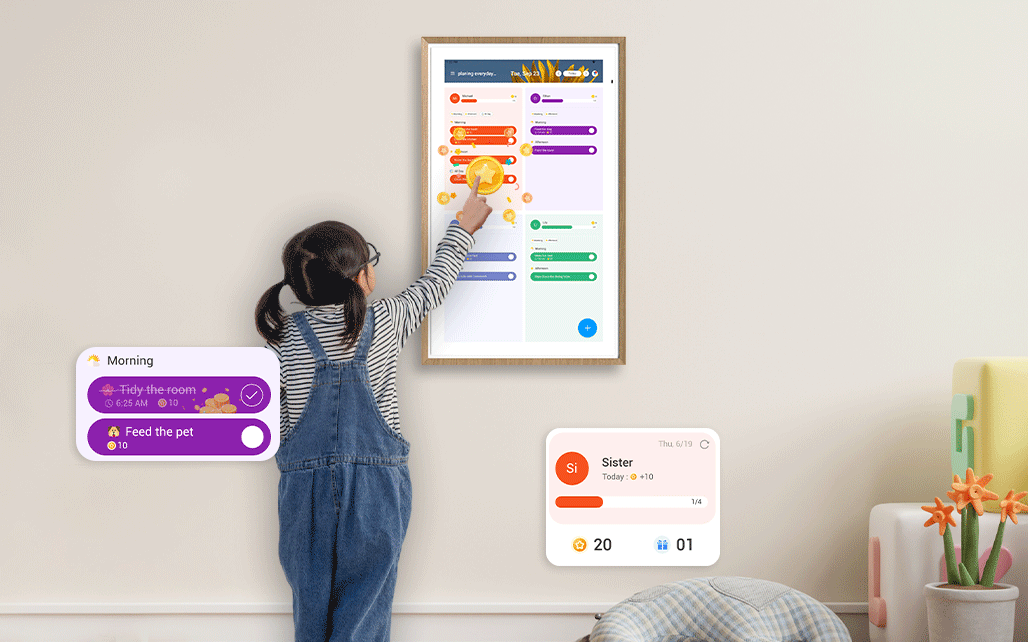
After a week, something clicked. We weren’t using it just as a digital calendar — it became the anchor of our mornings. The kids started earning points for chores thanks to Apolosign’s built-in points and rewards system. They see a little animation pop up when they “pack lunch” or “make their bed.” It’s such a simple thing, but it turned routine reminders into motivation.
And because the screen automatically adjusts brightness and doubles as a digital photo frame, it doesn’t stick out like a gadget. It looks like part of our home — switching from calendar to family photos during dinner.
The Surprise Hit: The Apolosign Portable TV
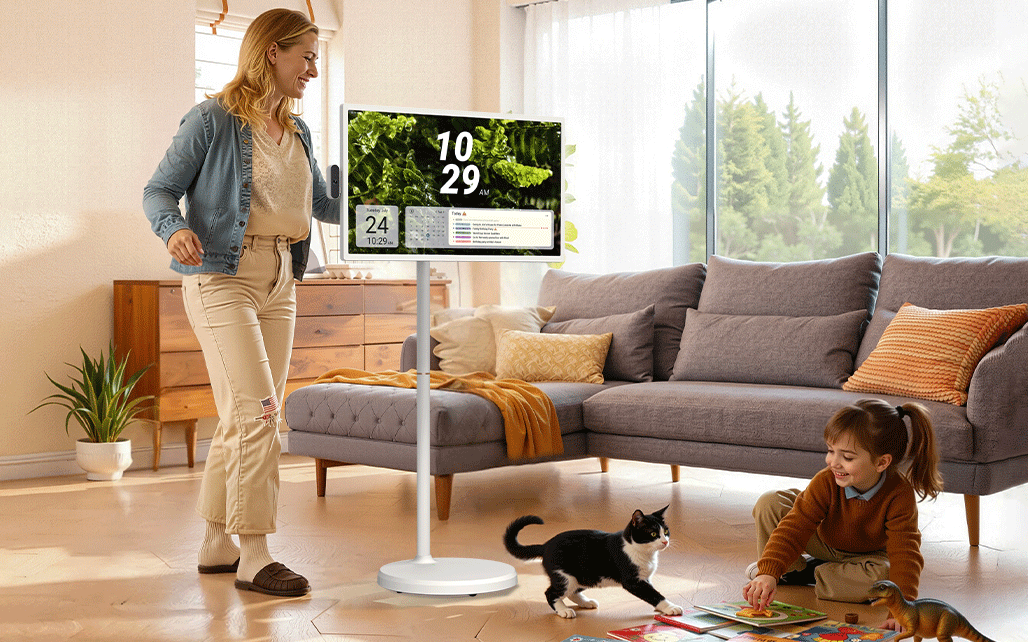
Apolosign’s portable TV is what makes the whole thing actually “whole-home”. I tried the 32″ model — it supports 1080p or 4K — and there’s also a 24″. It instantly became the “floating screen” in our house. It runs on the same dual-mode system, so I can open the same Apolosign Calendar App and see our schedule no matter where I take it — kitchen, living room, or bedroom. The built-in battery lasts long enough for a full evening, so I can move it while cooking, planning, or relaxing.
But the best part? It’s still Android. That means Netflix, YouTube, video calls, music — everything. So in one moment, it’s the family calendar; in the next, it’s movie night. That flexibility is what makes it feel like a true whole-home device, not just a screen.
A Whole-Home Solution That Makes Sense
Here’s what I realized after using both devices together: Apolosign isn’t selling two products — they’re offering a connected system for the entire home.
The digital calendars stay in fixed spots — kitchen, living room, entryway — showing the shared family schedule. The portable TV moves around, bringing that same synced calendar wherever you need it. The Apolosign Digital Calendar features dual modes — Calendar Mode for schedules and routines, and Android Mode for apps and smart home integration. Meanwhile, the Portable TV mirrors key functions like schedule syncing, points and rewards, and family reminders, so the same information is always accessible no matter which device you’re using.
Everything syncs automatically across devices. If I add a dentist appointment from the kitchen, it pops up on the portable TV in the bedroom seconds later. It’s not magic — it’s just smart design. And I appreciate that Apolosign doesn’t charge luxury prices for this kind of tech. They’re factory-direct, with design and R&D all under one roof. That’s why it’s accessible — a rare thing in the smart home space.
Where It Fits Best
The more I used it, the more I found little ways it made sense for real family life:
- Kitchen: the central “command board” for the day.
- Living room: doubles as a photo display that still keeps the family synced.
- Kids’ room: turns routines into games with the points system.
- Bedroom or entryway: shows weather, schedules, and reminders to start or end the day.
- Portable TV: follows us around — it’s the calendar, the TV, and the coordination tool that never stays in one place.
It’s these small touches that make it feel lived-in, not just “techy.”
Final Thoughts
Apolosign’s lineup is built around a simple idea: everyone sees the same thing, wherever they are. That might sound basic, but in a real household, it’s game-changing. If you only want a tablet on the wall, you probably don’t need this. But if you want a real, visual system that connects every family member — keeping everyone on the same page, literally — it’s worth it. For me, it’s the first digital calendar setup that actually made the whole house feel organized, without feeling digital overload. It’s tech that fits into your life, not the other way around.